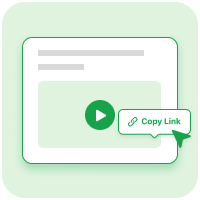
Copy the Link
Open a public video on a supported platform and copy its share link.
Download videos online from YouTube, Facebook, Instagram, TikTok, and more.
We never save your links or download history
Download YouTube videos easily in high quality for offline viewing..
Download Facebook videos instantly from any public posts or reels.
Download Instagram videos, reels, and photos in original quality.
Download TikTok videos cleanly without any extra watermark.
Open a public video on a supported platform and copy its share link.
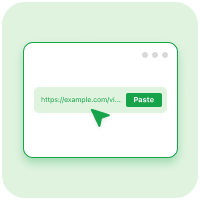
Paste the video link into the download box above.
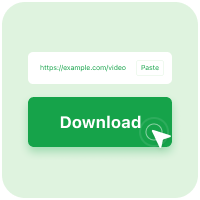
Choose your preferred format to save videos directly to your device.
Online video downloader powered by high-speed servers for instant saved files.
Save videos cleanly with no added watermark or quality loss.
Save videos in HD quality using the best online video downloader.
Convert video to MP3 audio files with one click.
Video downloader compatible with iOS, Android, Windows, and Mac browsers.
Download videos instantly with no registration or login required.
F&Q
Copy the share link to a supported public video on YouTube, Facebook, Instagram, or TikTok and paste it into the download box. Review the returned preview and choose an available file format. Use the individual video's link rather than a profile address, and only download videos you own or have a lawful right to save.
VidFyo is free to use without a subscription or payment for supported public links. Free access does not mean every platform URL, content type, or format will work: availability depends on the source and parsing service. Review the options returned for your link, and remember that your internet provider's normal data charges may still apply.
No. Private videos and links that require restricted account access are not supported. Content you can view while signed in may still be unavailable to a public video downloader. Ask the owner for an authorized copy instead of submitting passwords or session cookies; VidFyo does not bypass access controls or recover videos that have been removed.
Paste a supported public video link and check whether MP3 appears among the returned audio options. Select it only when available, because a video result does not guarantee separate MP3 extraction. The soundtrack may include speech, music, and effects together, and downloading it does not isolate those elements or grant permission to reuse copyrighted audio.
1080p or 4K may be available only when the source and parsing service provide those options for the submitted link. Choose from the resolutions actually listed rather than assuming every video has an HD version. Higher resolutions can require more storage and transfer time, and downloading cannot improve detail lost through source compression or a low-resolution upload.
Check that the link opens the intended public video and was copied completely. Removed content, expired Stories, privacy changes, login requirements, and regional restrictions can prevent processing. Try the current share link and check your connection. If the source format is unsupported, public visibility alone will not make the download work, and unavailable content cannot be recovered.
You can open VidFyo in a mobile browser, paste a public video link, and select an available download without installing a separate downloader. Follow your browser's save instructions and check Downloads or Files afterward. A saved video may not appear automatically in your gallery, and file playback depends on the selected format and your device's support.
The appearance of a downloaded video depends on the source version returned for your link. Review the available result rather than assuming a watermark-free master is provided. Logos, captions, or creator watermarks already embedded in the footage may remain; downloading does not guarantee removal of existing branding or grant permission to omit attribution when reusing the clip.
No VidFyo account is required to submit a supported public video link and view available downloads. Do not enter platform passwords, session cookies, or confidential access information. Registration-free use does not unlock private content or guarantee anonymity; review the Privacy Policy for submitted-link handling and third-party processing, and respect the source platform's terms and the creator's rights.
Download videos anytime, anywhere.