

Copy the Instagram Link
Open the public Instagram video post, tap Share, and select Copy link.
The fastest instagram downloader to download instagram video post files in HD quality
We never save your links or download history
Save Instagram videos easily for offline viewing anytime
Save Instagram reels easily to watch on the go.
Save Instagram video posts easily for offline viewing anytime
Save Instagram live replays easily for offline viewing anytime
Open the public Instagram video post, tap Share, and select Copy link.
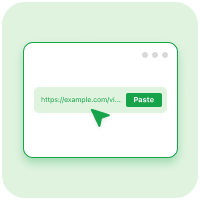
Paste the Instagram video post link into the download box above.

Choose an available format and save the Instagram video post to your device.
Instagram video post download powered by high-speed servers for instant saved files
Download video posts instagram cleanly with no watermark and in high quality.
Save Instagram video posts in original quality using the best instagram downloader hd.
Instagram video post download with MP3 audio extraction made simple
Enjoy Instagram downloads on mobile, tablet, and desktop.
Download Instagram video posts instantly without signing in.
F&Q
To complete an Instagram video post download, simply copy the public video post link from Instagram, paste it into the search bar above, and click Download. It is the fastest way to download video post instagram files instantly in original quality.
Currently, our tool only allows you to save Instagram video posts from public accounts to comply with privacy policies and creator permissions.
Yes! Every Instagram download request supports photo carousels, image posts, and slideshows so you can save all content formats hassle-free.
You can instagram download video post and photo content cleanly with no watermark by pasting the link into VidFyo on any web browser with zero software installation.
Yes! During any Instagram video post download, you can choose to save the background audio separately as a high-quality Instagram Mp3 track with a single click.
If you fail to download an Instagram video post, please ensure that the account or video post is set to public, the copied link is correct, and your internet connection is active.
Available resolutions depend on the creator's original video post file quality. Our instagram downloader hd system always retrieves the highest resolution available.
Yes! Our free instagram downloader is fully responsive and works smoothly across iOS, Android, Windows, macOS, and Linux web browsers.
No registration or account creation is needed. You can save Instagram video posts 100% free, securely, and anonymously without submitting any personal data.
Download video posts anytime, anywhere.